Free House Design Generator with AI in Homestyler — Step-by-Step Guide

Hey There! Some links on InexDecor.com are affiliate links. If you make a purchase through them, we may earn a small commission at no extra cost to you. We only recommend trusted products to support our content. Thank you for your support!
Some links on InexDecor.com are affiliate links. If you make a purchase through them, we may earn a small commission at no extra cost to you.

Photo by Alex Tyson on Pexels
Introduction
free house design generator with AI in Homestyler turns a blank page into a finished house design in minutes — you type what you want in plain words, and the AI shows you the rooms, the furniture and the colours before you spend a single taka. Most people have a house in their head: a bright living room, a kitchen with a big island, a bedroom that feels calm at night. The hard part is picturing it. A sketch never shows the light, and hiring a designer costs money before you know what you like. A free generator removes that barrier.
Homestyler is built for exactly this job. Describe your house in one or two sentences — style, rooms, colours, mood — and its AI generator builds a full design from your words. Then refine it, rebuild the best version in 3D with your real measurements, and walk through the result before you buy anything. This guide shows you the whole workflow, plus 12 copy-paste prompts, style ideas, mistakes and budget tiers.
Key Takeaways
- A text-to-design generator turns one written prompt into a full house design — rooms, furniture, colours and lighting.
- The prompt decides the result: mention the style, rooms, colours and feeling.
- Generate two or three versions, keep the calmest, refine only that one.
- Rebuild the winner in 3D with real measurements before you buy anything.
- Generating a house design costs nothing — you pay only for the furniture and materials you choose later.
- One palette across the whole house makes every room feel connected.
Table of Contents
Introduction | Key Takeaways | What Is a Free House Design Generator with AI in Homestyler? | How to Generate a House Design in Homestyler — Step by Step | 12 Copy-Paste Text Prompts to Try | Styles, Colours and Layouts That Work | Common Mistakes to Avoid | Budget Tiers | Homestyler vs Planner 5D vs Coohom | Frequently Asked Questions | Conclusion
What Is a Free House Design Generator with AI in Homestyler?
A free house design generator with AI in Homestyler is a tool that creates a complete house design from a short piece of text. You write a description — “modern two-bedroom house, bright living room, white walls, light wood floor, large kitchen island, warm evening light” — and the AI generates the layout, furniture, colours and lighting as a 3D view. No drawing, no measuring, no design training. The words do the work.
Homestyler combines three things in one free plan: the AI generator, which turns text prompts into designs in minutes; a 3D planner, where you rebuild the best design with your real room sizes; and a render engine that shows the result in daylight and at dusk. Together they cover the journey from an idea to a plan you can hand to a builder.
The generator works for a whole house or a single room. Start with the room that bothers you most, generate a few versions, and learn what you like — pale walls and warm wood, or a deep blue accent wall. Then repeat for the next room, keeping the same palette. For the whole-home version, see our home design with AI in Homestyler guide, and for the text-only version see our free house design with AI in Homestyler guide.
How to Generate a House Design in Homestyler — Step by Step
Generate a house design in one evening, in seven steps.
Step 1 — Decide what kind of house you want
Before you type anything, decide the basics: how many bedrooms, open plan or separate rooms, which style, which colours. Write three short lines: style, rooms, feeling. A clear brief like “modern two-bedroom house, open living and kitchen, warm white walls, light oak floor” gives the AI something solid to work with.
Step 2 — Write your first text prompt
Write one or two sentences: the style, the main rooms, the colours, the biggest furniture and the mood. For example: “Bright modern house, open-plan living room and kitchen, white walls, light oak floor, white sofa, large wooden dining table, warm evening light.” Avoid vague words like “nice” — the AI needs concrete details. Room names, materials and colours change the result most.

Photo by Grove Brands on Pexels
Step 3 — Generate two or three versions
Paste the prompt into Homestyler’s AI generator and let it create two or three versions of the same house. Do not judge the first one alone — the second or third is often better. Save the calmest, brightest version, and note what you like: the sofa, the kitchen island, the light. That note becomes your brief for the next step.
Step 4 — Refine the best version
Refinement is where a good design becomes yours. Change one thing at a time: swap the sofa colour, move the dining table, try a darker island, or add plants. Generate again after each change and compare. If a change makes the room worse, go back. Refine the winner, never start over — starting over throws away everything you already liked.
Step 5 — Rebuild the design in 3D with real measurements
A generated image is a picture, not a plan. Rebuild the winning design in Homestyler’s 3D planner with your real measurements: room sizes, ceiling height, windows and doors. Place the big furniture first — sofa, bed, dining table — and check the walkways: 75 cm between sofa and table, 60 cm beside the bed, 90 cm on the kitchen path.
Step 6 — Test colours and lighting at dusk
Render the 3D design in daylight and at dusk. A palette that looks fresh at noon can look cold at night. Test one accent at a time — sage cushions, a navy throw, a terracotta vase — and keep the one that still feels warm at dusk. Use warm 2700K bulbs, one pendant per room, and one floor lamp beside the sofa.
Step 7 — Render, compare, and make your shopping list
Render each room from the doorway. Check four things: a clear walkway, a calm palette, warm light at dusk, and nothing crowded. Save the renders as your shopping list — every piece has a size, a colour and a place. Buy the big pieces first and leave the decor until last. Share the renders with your family or builder.
Try Homestyler free and generate your first house design from a single sentence tonight.
12 Copy-Paste Text Prompts to Try
Copy any prompt below into Homestyler’s AI generator. Change the measurements, colours and room names to match your own house.
Whole-House Prompts (Prompts 1–4)
- “Modern two-bedroom house, open-plan living room and kitchen, white walls, light oak floor, white sofa, large wooden dining table, warm evening light.”
- “Small family house, bright living room with fireplace, white shaker kitchen, wooden dining table, two bedrooms with white linen bedding, plants, daylight.”
- “Minimalist house, open living and dining area, pale grey walls, light wood floor, low white sofa, black pendant lights, one large rug, calm and airy.”
- “Farmhouse house, white shiplap walls, reclaimed wood, deep sofa with linen cushions, large kitchen island with wooden stools, warm light, cosy.”
Living Room and Kitchen Prompts (Prompts 5–8)
- “Bright modern living room, white walls, light oak floor, low white sofa, blue cushions, wooden coffee table, floor lamp, plants.”
- “Farmhouse kitchen, white shaker cabinets, butcher block worktop, large island with wooden stools, brass pendant lights, open shelves.”
- “Open-plan kitchen and dining room, white cabinets, large wooden dining table, exposed beams, patterned rug, hanging plants, warm tones.”
- “Small living room, sofa against the longest wall, light wood floor, large rug, mirror opposite the window, warm floor lamp, plants.”
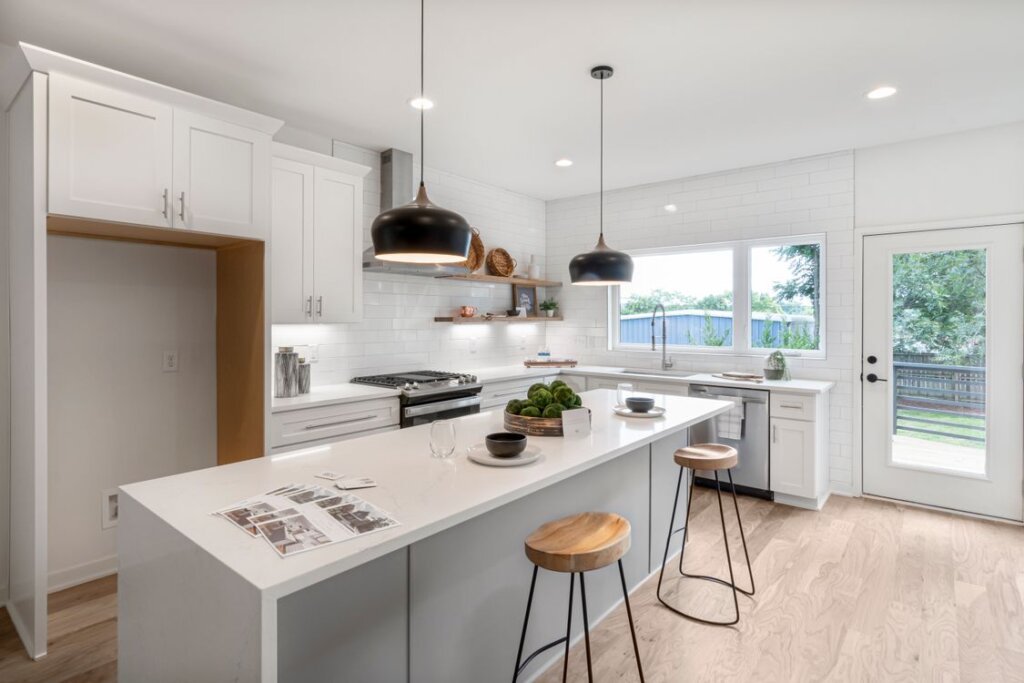
Photo by Curtis Adams on Pexels
Bedroom and Bathroom Prompts (Prompts 9–10)
- “Calm bedroom, warm white walls, low wooden bed, white linen bedding, sage green throw, bedside lamp, sheer curtains, soft morning light.”
- “Modern bathroom, white tiles, wooden vanity, large mirror, warm pendant light, plants, bright daylight.”
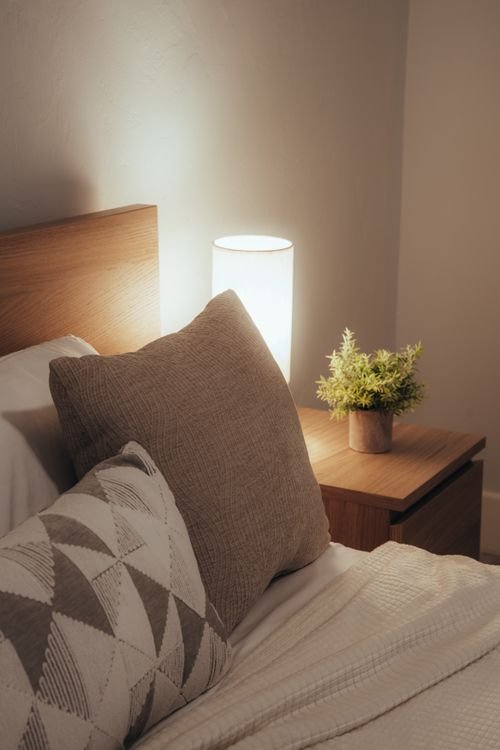
Photo by Osmany Mederos on Pexels
Style and Colour Prompts (Prompts 11–12)
- “Scandinavian house interior, white walls, pale wood, grey sofa, black accents, one large rug, plants, bright daylight.”
- “Coastal house interior, white walls, light wood floor, blue and white textiles, rattan chairs, large windows, bright.”
Styles, Colours and Layouts That Work
A generator gives you options fast, but the choices that make a house feel like home are still yours. These are the ones that work most often.
Pick one style for the whole house
A house feels bigger and calmer when every room shares one style. Modern, Scandinavian, farmhouse, minimalist or coastal — pick one and repeat it in the same wood tone, wall colour and furniture everywhere. A modern living room next to a farmhouse kitchen feels like two different houses. For the room-by-room version of one style, see our interior design with AI in Planner 5D guide.
One palette, three colours
Start with the light. A north-facing house needs warm whites and warm wood; a south-facing house can handle cooler whites and a stronger accent. Pick three colours only: a wall colour, a wood tone, and one accent. White walls with light oak and sea blue suit almost every house. Test the palette in one room first, at midday and at dusk.

Photo by Curtis Adams on Pexels
Layouts that fit real life
The right layout depends on the house you have. In a small house, every piece must do two jobs: a dining table doubles as a desk, a storage bench holds shoes and gives you a seat, a low shelf divides living from sleeping without blocking light. In a large house, give each room one clear job and anchor each seating group with a large rug. For layout ideas room by room, see our modern living room design with AI in Planner 5D guide and our bedroom design with AI in Coohom guide.
Common Mistakes to Avoid
The most common mistake is a vague prompt. “Design a nice house” gives the AI nothing to work with, and the result looks generic. Name the style, rooms, colours and materials, and the result will look like your house.
The second mistake is keeping only the first version. Generate two or three, compare them, keep the calmest. The first version is a draft, not a decision.
The third mistake is changing everything at once. Refine one thing at a time — the sofa colour, then the rug, then the lighting — so you know which change helped.
The fourth mistake is skipping the 3D rebuild. A sofa that looked right in the render can block a walkway, and a wardrobe too deep eats a square metre of floor. Draw first, buy second, every time.
The fifth is a different colour in every room — five rooms in five colours feel like five different houses. One palette across the house is the cure.
The sixth is cool white light: use warm 2700K bulbs throughout, because a 4000K bulb makes warm white walls look grey.
Budget Tiers
Budget (under about $150 per room): A flat-weave rug, warm bulbs, a sheer curtain and one plant. This tier changes the feeling of a room without touching the furniture, and fixes the cheapest mistakes — cold light and a small rug — in one afternoon.
Mid-range (about $150–$600 per room): Add a floor lamp, a mirror, a low bench, and paint in warm white or your accent colour. The sweet spot: real furniture and a finished palette.
Full change ($600–$1,500+ per room): A low sofa or bed frame in the right wood tone, a large rug, a flat-front wardrobe and matching textiles. Test the design in Homestyler first — furniture cannot be returned easily. For the same thinking in a kitchen, see our modern kitchen design with AI in Homestyler guide.
Homestyler vs Planner 5D vs Coohom
| Feature | Homestyler | Planner 5D | Coohom |
|---|---|---|---|
| Best for | Free text-to-design generation | Accurate floor plans | Photorealistic renders |
| Starting point | Type a text prompt | Draw the plan | Draw a plan or import one |
| AI tools | AI Styler, Spark, AI Planner | AI Studio, Smart Wizard | AI design and rendering tools |
| Rendering | Good, fast renders | Good, 4K on paid plans | Very photorealistic |
| Ease of use | Very easy to start | Easy once drawn | Easy, with more pro options |
| Free plan | AI generation and 3D design | Core design tools | Core tools |
| Try it | Homestyler | Planner 5D | Coohom |
Homestyler wins when you want a full house design from words alone: type a prompt, see a finished design in minutes. Planner 5D suits houses where every centimetre matters — draw the floor plan first, then style each room. Coohom suits photorealistic renders for a contractor.
Frequently Asked Questions
Is Homestyler really free to generate a house design?
Yes, Homestyler has a free plan that covers AI generation, 3D design and standard renders. You can type prompts, generate full house designs, edit each room in 3D, test palettes and lighting, and share the results without paying. Paid plans add more renders and premium furniture. Start free today, design one house properly first, and upgrade only if you generate designs often.
How do I write a good text prompt for a house design?
Name the style, the rooms, the colours, the materials and the mood in one or two sentences. For example: “Modern two-bedroom house, open-plan living room and kitchen, white walls, light oak floor, large wooden dining table, warm evening light.” Concrete words work best — room names, wood tones and colours change the result far more than adjectives like “nice”. Describe it the way you would tell a friend.
Can I generate a design for my exact house?
Yes, in two steps. First, generate a design from a text prompt to find the style and palette you like. Then rebuild it in Homestyler’s 3D planner with your real measurements — room sizes, ceiling height, windows and doors — and check that every piece fits. The generated image gives you the look; the 3D plan gives you the sizes.
How long does it take to design a house with AI?
One room takes about an hour from prompt to finished render: ten minutes to generate versions, ten minutes to refine the best one, twenty minutes to rebuild it in 3D, and twenty minutes to test the palette and lighting. A whole house takes a few evenings, one room at a time. The slow part is deciding what you like, and the generator makes that fast.
Do I need measurements to use a free house design generator?
You need measurements for the 3D plan, but not for the first generation. A text prompt alone is enough to see a full house design. Measurements matter when you place furniture at true size, because a sofa ten centimetres too long blocks a walkway. Measure each room once and keep the numbers in one place. A tape measure and ten minutes per room are all it takes.
Can AI help me stay on budget while designing a house?
Yes, because the expensive mistakes happen before you buy anything. A 3D render shows whether the sofa fits, whether the palette works at dusk, and whether the room feels crowded — all before you spend money. Build your shopping list from the render, buy the big pieces first, and leave the decor until last. Most people save the cost of a paid plan by avoiding one wrong purchase.
Photo by Selim Karadayı on Pexels
Conclusion
free house design generator with AI in Homestyler turns the hardest part of designing a house — picturing it — into the easiest part: type what you want, generate a few versions, refine the best one, and rebuild it in 3D before you spend anything. Keep one style across the house, one palette in every room, the lighting warm and the walkways clear, and the house will feel designed on purpose.
Start with one sentence tonight. Generate a house from your own words, save the version that feels like home, and let the render decide. Your house does not need to be bigger — it needs a plan, a palette and one good light.
Try Homestyler free — type a prompt and see your new house design in minutes.

My name is Mahi Uddin, and I’m a blog writer with over two years of experience specializing in creating engaging, informative content using AI tools. I contribute to InExDecor.com, where I share creative ideas and practical tips for transforming interior and exterior spaces into beautiful, functional environments. With a passion for storytelling and a knack for blending creativity with technology, I strive to craft blogs that not only inform but also inspire readers. When I’m not writing, you can find me exploring design trends or enjoying a good book with a cup of coffee.